
Multi-Currency Debit Cards Malaysia: Complete Guide to Saving Money Overseas
What Is a Multi-Currency Debit Card?
If you travel overseas or make foreign purchases online, a multi-currency debit card can save you money on exchange rates and conversion fees. These cards let you hold several foreign currencies (like USD, EUR, or SGD) in the same account alongside your Ringgit, so you're not forced to convert your money at the bank's rate every time you make a purchase abroad.
The main benefit: you can load foreign currency when the exchange rate is favourable, then spend directly from that balance later without paying conversion fees. It's like having separate USD, EUR, and SGD wallets, but all in one card.
Real-World Example: The Cost of Convenience
When Malaysians travel to London and make purchases in pounds sterling, the card they use determines how much extra they pay in hidden conversion fees. A £100 ticket purchase demonstrates exactly how these costs compound and why choosing the right card matters.
This comparison below uses the current mid-market exchange rate of RM5.48 per £1, the real rate you'd see if you Google "GBP to MYR" right now. You can verify today's official rates on Bank Negara Malaysia's daily exchange rate page. The difference shows exactly what you pay when using a traditional Malaysian bank card versus a pre-loaded multi-currency card.
The mid-market exchange rate is approximately RM5.48 for £1.00. But what you actually pay depends on which card processes the transaction:
| Card Type | How the Transaction Works | Cost in MYR | You Lose |
| Standard MYR Card (Traditional Bank) | The bank converts the £100 on the spot at their marked-up rate (approximately 4% fee/markup). | RM569.92 (£100 at RM5.70/£1) | RM21.92 |
| Multi-Currency Card (Pre-Loaded) | You already converted and hold the GBP balance (e.g. via Wise or Maybank). The card deducts £100 with zero conversion fee. | RM548.00 (£100 at RM5.48/£1) | RM0.00 |
By using a multi-currency card, you save RM21.92 on a single £100 purchase. Over a week-long trip with daily spending of £50 to £100, these conversion fees easily add up to RM150 to RM300 in extra costs. Enough to cover several meals or an extra day's accommodation.
Important Qualifier: These savings assume you pre-loaded GBP when exchange rates were favourable. If your multi-currency card doesn't hold GBP and must auto-convert from MYR at the point of sale, you'll typically pay a 1% conversion fee (RM5.48 in this example), still saving RM16.44 compared to traditional cards.
When to Pre-Load: Monitor exchange rates 2 to 4 weeks before travel. Convert your travel budget when the rate improves by 2% to 3% from the monthly average. Many providers offer rate alerts that notify you when this happens.
How Do Multi-Currency Debit Cards Work?
Opening Your Account
Sign up through the provider's mobile app or website and complete KYC verification by uploading your MyKad and taking a live selfie. Link your existing Malaysian bank account to fund the new multi-currency account. Most digital providers like Wise or Revolut approve accounts instantly, while traditional banks such as Maybank or CIMB may take 1-3 business days.
Loading and Converting
Transfer Ringgit from your regular bank account via online banking, debit/credit card, or cash deposit. Once funded, you can convert to foreign currencies directly in the app—ideally when exchange rates are favourable, not right before you need to spend.
Making Purchases
When you buy something overseas or online, the card deducts from your pre-loaded currency balance with no conversion fee. If you haven't loaded that specific currency, the card converts from your MYR balance at the current rate, which may include a small fee (typically 0.5-2% depending on provider). You can also withdraw cash from ATMs internationally, though most providers charge RM8-15 per withdrawal.
Two Main Strategies
Most people either pre-load currencies when rates look good (saves on fees, gives you rate control) or convert on-demand as needed (simpler, but you pay whatever the rate is that day). Some cards like Revolut offer smart routing that automatically picks your cheapest currency balance when you spend.
Six Ways Multi-Currency Cards Save Malaysian Travellers Money
You Pay Closer to the Real Exchange Rate
Traditional Malaysian bank cards mark up exchange rates by 3% to 5% on every foreign purchase. Multi-currency cards from providers like Wise use the mid-market rate (the rate you see on Google) with little to no markup, typically 0% to 1%. On RM10,000 spent abroad, that's RM200 to RM400 saved compared to using your regular Maybank or CIMB debit card.
Transparent Costs, No Hidden Fees
When you pre-load foreign currency, you know exactly what you paid for it. Spend that USD or EUR balance later and there's no foreign transaction fee on top. With a regular bank card, you only discover the final cost after the transaction posts to your account. Often 3 to 4 days later with an unpleasant surprise markup.
Separate from Your Main Savings
Because the card isn't linked to your primary savings account, you can't accidentally overspend your emergency fund while shopping in Tokyo. Load only your travel budget onto the card, set spending limits per currency in the app, and you'll get real-time notifications whenever you spend. For bank-issued cards, your balance is still PIDM-protected up to RM250,000.
Instant Card Control If Something Goes Wrong
Lost your card in Bangkok? Open the app and freeze it immediately, no need to call a hotline and wait on hold. Even if someone manages to use the card before you freeze it, they can only access what's loaded on the multi-currency account, not your main savings sitting in your regular bank account.
Convert When Rates Drop, Spend When You Travel
If the Ringgit strengthens against the dollar and you see USD/MYR hit a good rate, convert immediately and lock it in. Hold that USD balance for weeks or months until your actual trip. This protects you from sudden currency swings, particularly useful given how volatile the Ringgit can be.
One Card for Multiple Countries
Travelling through Europe? Your card works in France, Germany, and Italy without needing to visit money changers in each city or carry multiple currencies in cash. The same card that pays for your hotel in euros also works for your online bookings in pounds or dollars before you even leave Malaysia.
Which Multi-Currency Cards Work Best for Malaysians?
Your choice depends on whether you prioritise the absolute best exchange rates (FinTech providers), the convenience of using your existing bank (traditional banks), or PIDM protection for larger balances. FinTech cards like Wise typically offer rates closest to the mid-market rate you see on Google, while bank-issued cards from RHB, Maybank, and HSBC provide the familiarity of dealing with established Malaysian institutions, though their rates may include a small markup.
| Card Provider | Key Features and Supported Currencies | Exchange Rate |
| Wise Card |
| Mid-market rate + 0.43% to 2% conversion fee (varies by currency) |
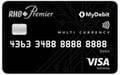
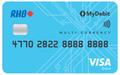
| RHB Multi-Currency Visa Debit Card |
| Bank's own rate (typically 0.5% to 1.5% above mid-market) |
| Maybank Global Access |
| Competitive rates via the MAE app (typically 0.5% to 1% above mid-market) |
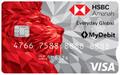
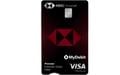
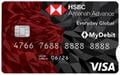
| HSBC Everyday Global |
| Real-time rates (typically 1% to 1.5% above mid-market) |
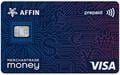
| AFFIN Merchantrade Prepaid Card |
| Merchantrade's own rates (typically 1% to 2% above mid-market) |
Choosing the Right Multi-Currency Debit Card
If you're making large conversions (RM10,000+) or travel frequently, Wise usually delivers the best rates, the 0.43% to 2% conversion fee is still cheaper than the 3% to 5% markup most banks apply. You can check Wise's current pricing and fees to see exact rates for your specific currency pair. However, because Wise isn't a licensed bank in Malaysia, your funds aren't PIDM-protected.
For occasional travellers or those who prefer keeping everything with their existing bank, Maybank's Global Access via MAE offers genuine convenience. You're already using the app for your regular banking, and the zero conversion fee on pre-loaded currencies is competitive. RHB's 33-currency coverage is the widest among Malaysian banks, making it suitable if you travel to less common destinations.
HSBC works best if you're already an HSBC customer with Premier or Advance status, where you might get preferential rates and the card integrates with your existing global banking setup.
1. Wise Card - Mid-Market Exchange Rate & 40+ Currencies
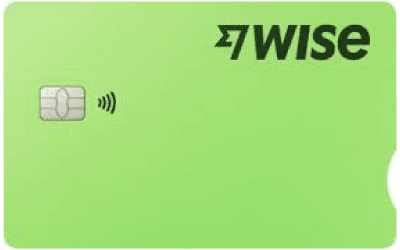
The Wise Card (formerly TransferWise) is a globally popular FinTech solution ideal for the digital age, offering access to the true mid-market exchange rate and unparalleled currency holding flexibility, managed entirely through its industry-leading mobile app.
Best For: Frequent travellers, digital nomads, freelancers, online shoppers
Key Features:
- Wise provides the actual interbank rate (the rate you see on Google) with no hidden markup, ensuring you get the absolute best exchange rate available for conversions.
- You can hold, convert, and spend in over 40 currencies, offering the highest level of global coverage compared to any traditional Malaysian bank.
- A unique feature allowing users to receive payments in 10 major currencies (like USD, GBP, EUR, AUD, SGD) using local bank details, making it perfect for freelancers and remote workers to avoid SWIFT fees.
- There are no monthly fees, no minimum balance requirements, and no inactivity fees. The pricing structure is fully transparent, with a small, upfront conversion fee.
Fees and Charges:
- Annual Fee/Monthly Fee: None (RM0).
- Card Order Fee: A one-time fee of approximately RM25 applies to order the physical card (sometimes waived during promotions).
- Currency Conversion Fee: Starts from 0.43% (varies by currency pair) when you convert funds in the app or spend in a currency you do not hold.
- Top-Up Limitation: Note that top-ups in Malaysia are currently only available via Bank Transfer, which may take 1 to 2 business days to clear.
- Overseas ATM Withdrawal Fee:
- Free for up to 2 withdrawals totalling a maximum of RM1,000 per month.
- A fee applies after the free limit is exceeded: RM5 + 1.75% of the withdrawal amount.
2. RHB Multi-Currency Visa Debit Card - Up to 33 Foreign Currencies
- Holds and transacts in the highest number of currencies (33+), great for multi-destination trips or managing diverse international finances.
- You pay RM0 conversion fees on retail spending when you have sufficient funds in the exact foreign currency needed (e.g., spending USD from your USD balance).
- As a traditional bank account, your deposit is protected by PIDM up to RM250,000, offering a high level of security.
- You can enjoy attractive interest rates on the account balance for selected foreign currencies, making it suitable for long-term savings.
- You can actively convert your MYR to foreign currencies via RHB Online Banking when exchange rates are favourable, locking in that rate for future use.
- Annual Fee: RM20.00 per year
- FX Auto-Conversion Fee: 1% of the converted amount applies only if you spend in a currency you do not hold, triggering an auto-conversion from your MYR account.
- Overseas ATM Withdrawal Fee: RM12.00 per transaction via the Visa/Mastercard network overseas, plus any fee imposed by the local ATM operator.
- Currency Conversion Rate: Conversions are done at the bank’s preferential exchange rates, which typically include a small markup over the mid-market rate.
- Reimbursement of the RM12 ATM fee for the first 5 overseas cash withdrawals every month.
- All currency conversions (buying and selling the 18 supported currencies) are done instantly and effortlessly through the MAE app.
- The Mastercard World status grants complimentary Travel Medical Coverage (up to USD100,000) and Takaful Personal Accident Coverage (up to RM100,000), provided the balance requirements are met.
- Deposits in the linked Global Access Account-i are protected by PIDM up to RM250,000, offering traditional bank security.
- Annual Fee: No annual fee.
- FX Auto-Conversion Fee: 2% foreign transaction fee applies if you spend in a currency you do not hold, and the "Auto Sweep" facility converts the entire amount from your MYR balance.
- Overseas ATM Withdrawal Fee: RM12.00 per transaction via the Mastercard Cirrus Network overseas. This fee is reimbursed for the first 5 withdrawals monthly (as per the current campaign).
- Currency Conversion Rate: Conversions are done at Maybank's competitive, real-time exchange rates, which include a bank margin over the mid-market rate.
- The standard Everyday Global Account has RM0 monthly account fees, RM0 minimum balance requirement, and RM0 debit card issuance or annual fees.
- Supports spending and holding in 11 major currencies (including AUD, CAD, EUR, GBP, HKD, JPY, NZD, SGD, USD, SAR, and MYR).
- Currency conversion within the account (converting MYR to a foreign currency) is done instantly at HSBC’s competitive, real-time rates.
- Premier and Advance account holders benefit from instantaneous, fee-free transfers to their own and third-party HSBC accounts worldwide.
- HSBC Premier customers enjoy zero ATM withdrawal fees when using overseas HSBC ATMs.
- Annual Fee: Waived (RM0).
- FX Auto-Conversion Fee: 1% conversion fee is charged if you spend in a currency you do not hold or have insufficient funds.
- Minimum Balance Fee (Premier/Advance): While the basic account has no minimum balance, the Premier (RM300,000 Total Relationship Balance) and Advance (RM30,000 Total Relationship Balance) tiers charge a monthly fee if the balance requirement is not met.
- Overseas ATM Withdrawal Fee:
- HSBC ATMs Overseas: RM5.00 per transaction (Waived for Premier customers).
- Other Visa Network ATMs: RM10.00 per transaction, plus any fee from the local ATM operator.
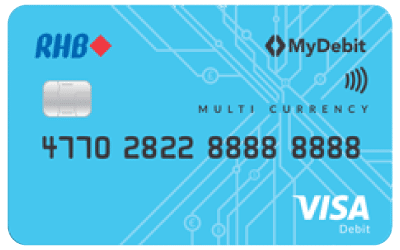
RHB’s offering is a bank-backed solution ideal for serious currency hoarders and travelers who require maximum currency flexibility and the security of a traditional financial institution.
Best For: Multi-destination travelers, currency traders, security seekers
Key Features:
Fees and Charges:
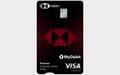
3. Maybank Global Access Mastercard World Debit Card - 5 Free Overseas ATM Withdrawals Monthly
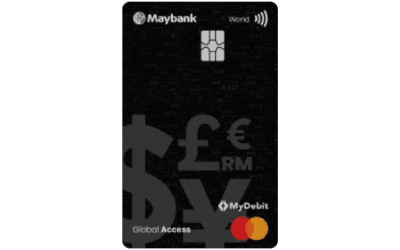
Maybank's Global Access Mastercard is the physical debit card linked to your multi-currency account, providing seamless, secure access to your 18 currency balances and exclusive travel benefits, all managed through the MAE app.
Best For: Existing Maybank customers, cash-dependent travelers
Key Features:
Fees and Charges:
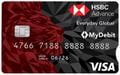
4. HSBC Everyday Global VISA Debit Card - 11 Core Currencies

The HSBC Everyday Global Card is the access tool for the Everyday Global Account, providing a globally recognized solution with competitive real-time rates, zero maintenance fees, and instant global transfers for premier clients.
Best For: HSBC customers (especially Premier/Advance), high-net-worth individuals
Key Features:
Fees and Charges:
5. AFFIN Merchantrade Prepaid Card - Merchantrade Money Wallet
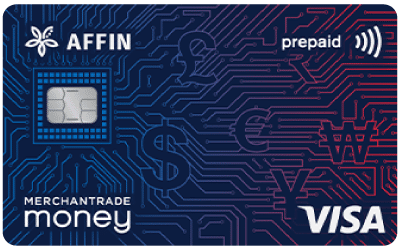
The AFFIN Merchantrade Prepaid Card (Merchantrade Money) is a prepaid solution that offers a multi-currency e-wallet with wide currency coverage and highly competitive exchange rates, making it an excellent alternative to bank accounts.
Best For: Budget travelers, those familiar with money changers
Key Features:
- Allows users to hold and spend in 20+ major currencies, offering excellent coverage for travelers and online shoppers.
- Merchantrade is a licensed money services business (money changer), and its exchange rates are typically better than traditional bank rates, though they carry a small markup over the mid-market rate.
- As a prepaid card, it is not linked to your main bank account. You only load what you plan to spend.
- Unlike some FinTechs, you can instantly top up your card balance via FPX or at numerous Merchantrade branches and participating agents nationwide.
- The underlying Merchantrade app offers integrated remittance services, allowing you to send money overseas from the same platform with competitive fees.
Fees and Charges:
- Annual Fee: RM10.00 per annum (often waived for the first year).
- Card Issuance Fee: RM10.00 (one-time fee for a non-personalized card).
- FX Conversion Rate (Unsupported Currency): Subject to the Visa International rate plus 1.75% of the transaction amount.
- Overseas ATM Withdrawal Fee: RM10.00 per transaction (via VISA Plus ATM) plus any fee imposed by the local ATM operator.
Understanding Fees: The Complete Breakdown
Understanding fee structures helps you choose the most cost-effective multi-currency debit card for your spending patterns. Here are all the fees you might encounter:
- Card Issuance Fee: This is a one-time fee charged when you first get the card, primarily for the physical version. The fee ranges from RM0 to RM80. For providers like Wise, it is approximately RM25 (often waived in promos), and for BigPay, it is RM20. Traditional banks may charge between RM50 and RM80 or include it in the annual fee.
- Annual/Monthly Fee: This is a recurring fee to keep the account active, ranging from RM0 to RM150 per month. Wise, BigPay, and most bank basic tiers charge RM0. However, some banks like RHB may charge around RM50 to RM80 per year, and high-tier accounts like HSBC Premier may charge up to RM150 per month (which is usually waived if the minimum criteria are met).
- Currency Conversion Fee: This is the fee charged to convert from one currency to another, typically ranging from 0.43% to 1%. This fee is charged either when you actively convert currencies in-app or when you spend without having the local currency loaded (the card converts it automatically). It may also be applied if an ATM or merchant performs the conversion for you.
- Foreign Transaction Fee: This fee is sometimes added when you spend in a foreign currency, ranging from 0% to 1%. Providers like Wise charge 0% if the currency is already held, or its low conversion fee (0.43%+) if conversion is needed. BigPay charges 1% on all foreign spending, while traditional banks typically charge 1% if you lack the local currency balance, and 0% if the currency is pre-loaded.
- ATM Withdrawal Fee: This is the fee to withdraw cash from ATMs, usually structured as a flat fee plus a percentage. For example, Wise offers free withdrawals for the first 2 withdrawals (up to RM1,000 total), then charges RM5 + 1.75%. BigPay charges RM10 overseas and RM6 locally, while banks like HLB may charge RM12 or 2%, whichever is higher.
- Top-Up Fee: This is a fee to add money to your account, ranging from RM0 to 3%. Top-ups via bank transfer are usually free. However, using a credit or debit card for top-ups typically incurs a 1% to 3% fee, and cash deposits may also be subject to fees.
- Inactivity/Dormancy Fee: This fee is charged if you do not use the card for an extended period, ranging from RM2.50 to RM5 per month. It is usually triggered after 6 to 12 months of no activity. To avoid this, it is recommended to make at least one transaction every few months.
Avoiding Hidden Fees and Common Mistakes
Even with a multi-currency card, you can still lose money if you're not careful about how and when you use it. The biggest trap is Dynamic Currency Conversion (DCC), when a merchant or ATM offers to charge you in Ringgit instead of the local currency. It sounds helpful, but it's almost always a terrible deal with markups of 5-10%.
Here's what to watch for:
| Costly Mistake | What Happens | How to AVOID It |
| Accepting Dynamic Currency Conversion (DCC) | A merchant or ATM offers to charge you in MYR instead of local currency. They apply a terrible exchange rate with 5% to 10% markup. | Always choose to pay in the local currency (USD in the US, EUR in Europe, GBP in the UK). Decline any offer to "pay in your home currency." |
| Weekend/Holiday Conversion | Some providers like Wise add 0.5% to 1% extra when currency markets are closed (weekends, public holidays). | Convert currencies Monday to Friday during market hours for the best rate. |
| Auto-Converting at Point of Sale | Your card converts from MYR on the spot because you haven't pre-loaded that currency. Visa/Mastercard adds 0.5% to 1% on top of the provider's rate. | Pre-load your main travel currencies 1 or 2 weeks before departure when you spot good rates. |
| Airport or Hotel ATMs | These ATMs charge significantly higher fees than city centre bank ATMs, sometimes RM15 to RM25 per withdrawal plus worse exchange rates. | Wait until you reach the city and use bank ATMs (look for Maybank, CIMB equivalents). Withdraw larger amounts less frequently. |
| Card Inactivity Fees | If you don't use the card for 6 to 12 months, some providers charge RM2.50 to RM5 monthly maintenance fees. | Make one small purchase every few months, or check your provider's policy and close the account if you won't use it. |
The DCC Trap Explained
When you're paying at a restaurant in London and the card terminal asks "Charge in MYR or GBP?", always choose GBP. The MYR option uses the merchant's exchange rate, which can be 5% to 10% worse than what your multi-currency card would give you. On a £500 hotel bill, choosing MYR could cost you an extra RM100 to RM250 for absolutely no benefit.
This also applies at ATMs. If an ATM asks whether you want to proceed "with conversion" or see the amount in MYR, decline the conversion. Let your card handle it at a better rate.
How to Apply for a Multi-Currency Debit Card
The application process takes about 10-15 minutes and can be completed entirely on your phone for most providers. Traditional banks like Maybank and RHB let you apply through their existing mobile banking apps, while FinTech providers like Wise require you to download their dedicated app first.
1. Creating Your Account
Download the provider's app (available on iOS and Android) or visit their website, then register using your email and a secure password. You'll need to choose a "Personal" account type. Business accounts have different requirements and aren't necessary for typical travel spending.
2. Identity Verification (KYC)
Malaysian regulations require full identity verification before you can use the card. Upload clear photos of your MyKad (front and back), then take a live selfie for facial recognition matching. You'll also need to provide your current residential address, and some providers may ask for proof of address like a recent utility bill or bank statement.
Most digital providers approve your identity within minutes if your documents are clear and your details match your MyKad exactly. Traditional banks may take 1-3 business days to review and approve your application, particularly if you're a new customer.
3. Adding Funds
Once verified, transfer money from your existing Malaysian bank account to activate the multi-currency account. The minimum deposit is typically RM50-100. Use FPX for instant transfers with FinTech providers, or standard bank transfer if you're setting up with a traditional bank (funds appear in 1-2 business days).
4. Getting Your Physical Card
Request the physical card through the app's "Card" section and confirm your delivery address. Some providers charge a one-time card issuance fee of RM15 to RM30, while others include it free with your first top-up. The card arrives by courier within 5 to 10 business days, traditional banks may issue it automatically when you open the account and you can collect it at the branch immediately.
You'll get a virtual card instantly after funding your account, which you can use for online purchases while waiting for the physical card to arrive.
5. Activating Your Card
When the physical card arrives, log into the app, go to the "Card" section, and tap "Activate Card." Make one Chip and PIN purchase at any shop or withdraw cash from an ATM to fully activate the card for international use, some providers require this step to verify you received the card.
How Long Does Approval Take?
Existing bank customers adding a multi-currency feature (like Maybank MAE users) get instant approval and immediate access to the virtual card. New applicants with digital providers like Wise typically receive approval within minutes if documents are clear.
Full account setup for new customers at traditional banks or specialised providers takes 1-3 business days. In particular, if there are verification issues, mismatched details on your MyKad, unclear document photos, or address verification problems can delay approval by several days.
Travel Checklist: Load Extra Cash, Decline DCC, Use Secure ATMs
Before embarking on your journey, a little planning goes a long way in maximising your savings and securing your funds. Follow these steps to ensure your multi-currency card is loaded strategically and ready for anything.
Before You Travel (1-2 weeks out)
- Monitor Rates: Convert your funds when exchange rates are favourable, don't wait until the last minute!
- Safety Buffer: Always load about 20% more than your estimated budget to cover unexpected costs, exchange rate swings, or emergencies.
- Carry Backup: Use the multi-currency card as your primary but always carry a Credit Card for hotel/car rental deposits.
- Enable Alerts: Set up instant transaction notifications and know exactly how to freeze the card via the app.
While Travelling (The Golden Rules)
- THE DCC RULE (MOST IMPORTANT!): When a merchant asks if you want to pay in MYR, ALWAYS choose the local currency to avoid massive hidden markups.
- ATM Strategy: Use secure bank ATMs and withdraw larger amounts less frequently to minimise flat fees (e.g., utilise Wise's free withdrawal limit efficiently).
- Security: Always cover the PIN pad and immediately freeze the card in the app if you see any suspicious activity.
After Returning (Wrap-up)
- Leftovers: Either convert back to MYR, spend the balance online internationally, or keep stable currencies (USD, EUR, SGD) for your next trip.
- Keep Active: Make a small transaction every 3 to 6 months to prevent inactivity fees and keep the card valid.
Frequently Asked Questions (FAQ)
1. Is a multi-currency card better than a credit card for overseas travel?
The best solution is to bring both. You should use the multi-currency card for better exchange rates and for easy budgeting during daily spending. Use your travel credit card for necessary deposits, such as at hotels or car rentals, and as a reliable emergency backup.
2. Can I use a multi-currency card for online shopping?
Yes, and it is highly recommended for international purchases. These cards are perfect for buying from global websites (like Amazon US or Taobao) and paying for international subscriptions. This is because they offer much better conversion rates than your standard Ringgit (RM) credit or debit card.
3. Can I use the card for hotel and car rental deposits?
Usually, no, because hotels and rental companies prefer credit cards. This is because they use credit cards for pre-authorising deposits. It is best to use your credit card for the deposit, and then use your multi-currency debit card for the final payment when checking out.
4. How safe are multi-currency cards?
They are very safe and offer strong security features. Digital cards (like Wise) are not linked to your main Malaysian bank account, limiting your exposure. Bank-issued cards are protected by PIDM. All major cards feature Chip & PIN technology, constant fraud monitoring, and the ability to instantly freeze the card via the mobile app.
5. What's the difference between mid-market rate and bank rate?
The Mid-market rate is the true, real-time global rate (the rate you see on Google). The Bank rate is the mid-market rate plus the bank's hidden markup, which is typically 2% to 4%.
6. What happens if I spend a currency I don't have?
The card will automatically convert the amount from your MYR (or other available) balance. However, a conversion fee, which is typically 1%, will usually be applied to this automatic conversion. Always try to convert the currency yourself beforehand to avoid this fee.
7. What is Dynamic Currency Conversion (DCC) and why should I avoid it?
DCC is when an overseas merchant offers to charge you in RM instead of the local currency. You should always choose the local currency because the DCC rate is almost always 5% to 10% worse than your card’s own conversion rate.
8. I was charged more than expected. Why?
The most common reason is that Dynamic Currency Conversion (DCC) was used. Other possible reasons include a weekend/holiday markup being applied by your card provider, or the card's auto-conversion fee being charged because you ran out of the specific local currency.
9. Can I transfer money between my multi-currency balances?
Yes, you can usually do this easily within the mobile app. A common strategy is to convert about 80% to the destination currency, keep 10-20% in RM for flexibility, and maintain a small buffer in a universal currency like USD.
10. What if I run out of money while travelling?
You can usually top up instantly via the card's app. You can use Malaysian online banking (FPX) to top up, or ask a family member to transfer money directly to your multi-currency account.
11. How do refunds work?
The refund will go back to the original currency you paid in. It typically takes 5 to 10 business days to appear back in your card balance.
12. My transaction was declined. What should I do?
First, check your available balance in that specific currency via the app. Then, check if you have exceeded your daily or monthly spending limits, and ensure that the card is enabled for international use in the app's settings.