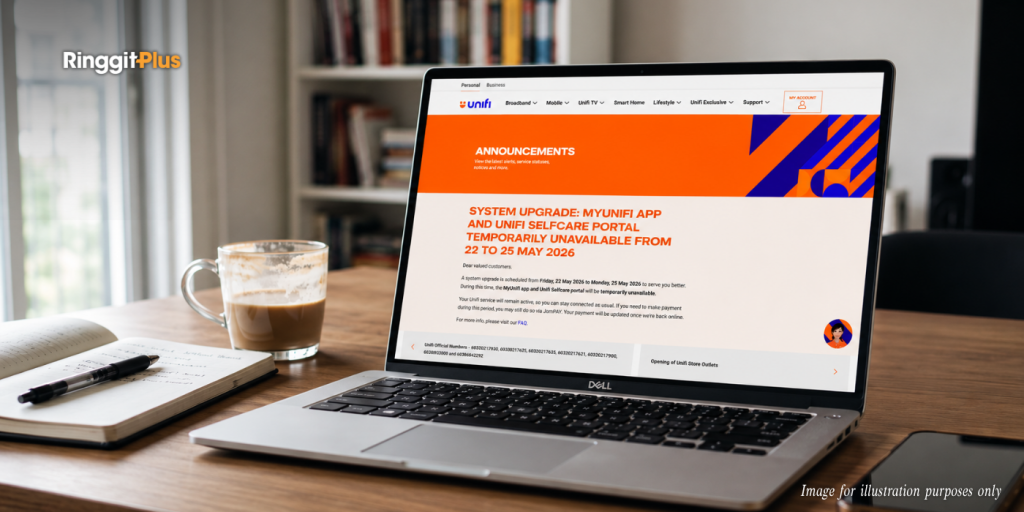
Unifi is carrying out a system upgrade from Friday, 22 May 2026 to Monday, 25 May 2026. Between these days, the MyUnifi app and Unifi Selfcare portal will be unavailable.
Your internet connection, mobile line, and Unifi TV service are not affected. The disruption only covers account management functions, so browsing, streaming, and everyday usage carries on as normal over the long weekend.
Bill Payments Can Still Be Made Via JomPAY
If your bill falls due during the downtime, you can still pay through JomPAY using the Unifi biller code. Your account will be updated once the system comes back online.
Unifi recommends clearing any outstanding bills before 22 May to avoid service disruption. If your line gets suspended during this period, call 100 or chat with Maya with proof of payment to request reconnection. Otherwise, the system updates automatically within 24 hours of going back online.
A Few Account Actions To Handle Before Friday
You will not be able to manage add-on subscriptions, Unifi TV packs, or Smart Home services through the app during the downtime, so make any changes before Friday.
If you are travelling overseas over the long weekend, activate your roaming in the MyUnifi app or Unifi portal before 22 May. You can also call 100 (8am to 10pm) or the overseas line at +603-2106 3001 if you need help with this.
Refund and termination requests will only be processed once the upgrade is complete.
If you need access to past billing statements during the weekend, download them before the system goes offline.
Your Plan Stays The Same, But The App Will Look Different
Your subscription fees, billing details, and service contract are unchanged after the upgrade. Some plan names may appear slightly different in the app, but the services tied to those plans remain the same.
The more noticeable change is that your Unifi broadband, mobile, voice, and TV accounts will all sit under a single MyUnifi app login going forward, rather than across separate apps. On your first login after 25 May, you may be asked to verify your email or phone number as a security step. Your existing username and password still work. If the app does not load correctly after the upgrade, uninstalling and reinstalling the latest version from the App Store or Google Play should fix it.
Follow us on our official WhatsApp channel for the latest money tips and updates.
Christina writes about personal finance with an eye for making the complicated feel straightforward. She is drawn to the everyday money decisions people face and genuinely enjoys finding the clearest way to explain them. Between articles, she is probably napping, on a hiking trail, or terrorising her sister’s cats.
00votes
Article Rating
SHARE
About THE AUTHOR
Christina Chandra
Christina Chandra
Christina writes about personal finance with an eye for making the complicated feel straightforward. She is drawn to the everyday money decisions people face and genuinely enjoys finding the clearest way to explain them. Between articles, she is probably napping, on a hiking trail, or terrorising her sister's cats.








Comments (0)