Changes To Maybank2u Settings Now Require Secure2u Authorisation

Nur Adilah Ramli
13th April 2022 - 2 min read
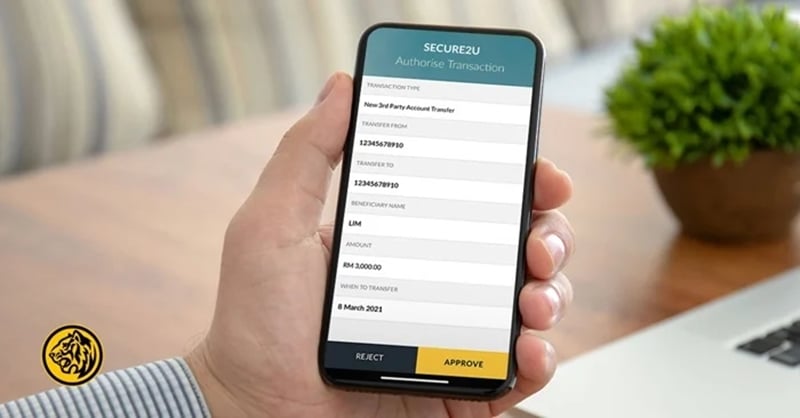
Maybank customers who make changes or updates to their Maybank2u settings will now need to authorise the changes using Secure2u via the Maybank2u MY or MAE by Maybank2u (MAE) app. This is set to take effect immediately.
With this, features that now also require customers to provide Secure2u authorisation will include:
- DuitNow registrations
- Favourite setting for 3rd party
- Cardless withdrawals
- Foreign telegraphic transfers (FTT)
- Interbank fund transfers (IBFT)
- Interbank GIRO (IBG) transfers, and more
Introduced to gradually replace the SMS TAC, Secure2u is said to offer a safer and more convenient way to authorise transactions. The security feature pairs your device with your Maybank2u account, allowing for better protection against SMS TAC fraud, as all transactions will have to be approved via the registered device.
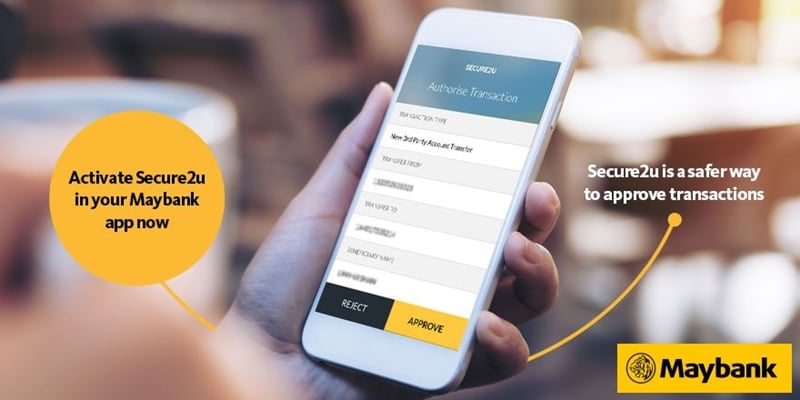
To note, Secure2u has two authorisation methods: Secure Verification and Secure TAC. Secure Verification is a one-tap approval method that allows you to approve transactions via a push notification from your Maybank2u MY or MAE app. Secure TAC, meanwhile, enables you to approve transactions by keying in a six-digit authorisation code – which is also generated from either of the two apps.
Since the launch of Secure2u in 2017, Maybank has been implementing the security feature for different banking transactions in stages. These include enabling Secure2u for online transactions of RM5,000 and above in early 2021, followed by transactions of RM4,000 and above, and then RM3,000 and above. As of early March this year, customers are also required to use Secure2u to authorise any amount of third-party (Maybank to Maybank) and interbank GIRO (IBG) transfers via Maybank2u.
Finally, Maybank has encouraged all customers who have yet to activate the Secure2u feature on their Maybank2u MY or MAE app to do so. If you’re not sure how to do it, here are some video tutorials from Maybank to help you out:
(Source: Maybank)
About THE AUTHOR
Nur Adilah Ramli
Most Viewed Articles
Most Viewed Articles

Online Banking
Best Fixed Deposit Promotions and Board Rates In Malaysia
We provide monthly updates on the best fixed deposit promotions in Malaysia with tables showing the top 5 board rates for the duration of 1, 3, 6, 9, and 12 months.

Online Banking
Suitcase Banking: Does A Singapore Financial Representative Need A Malaysian Licence?
The financial relationship between Malaysia and Singapore is among the strongest in Southeast Asia. Many Malaysians maintain bank […]

Comments (0)