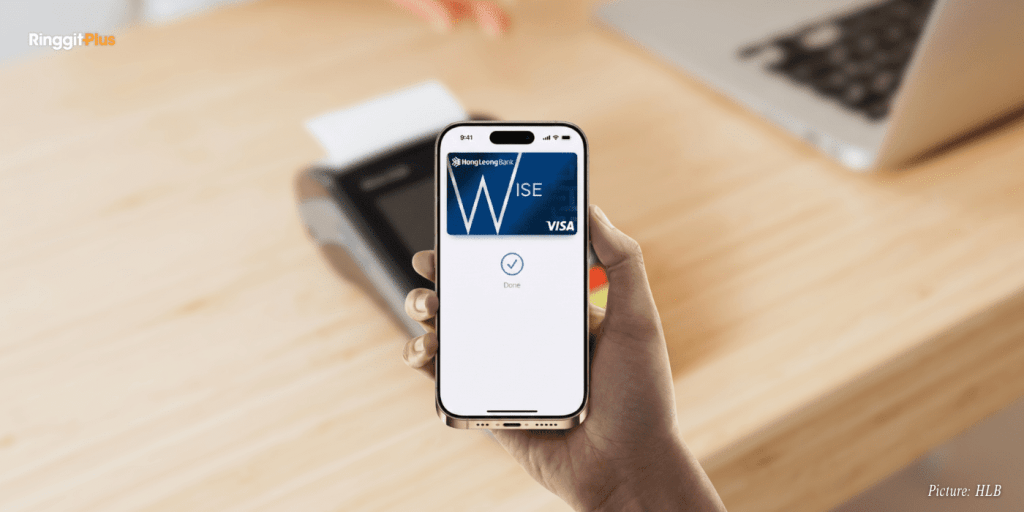
Hong Leong Bank and Hong Leong Islamic Bank cardholders can now use Apple Pay for contactless payments in Malaysia. Eligible Visa debit and credit cards issued by both banks can be added to Apple Wallet and used across supported Apple devices.
Apple Pay is live and available nationwide. There is no phased rollout, and eligible users can activate the feature immediately.
Eligible Hong Leong Bank Cards For Apple Pay
Apple Pay with Hong Leong Bank and Hong Leong Islamic Bank currently supports Visa-branded debit and credit cards only. This means eligible Visa cards issued by both banks can be added to Apple Wallet and used for contactless payments on supported Apple devices.
Certain cards are excluded, including HLB GSC Credit Cards and Visa debit cards held by users below the age of 16.
Primary and supplementary cards must be added separately. Each Hong Leong Visa card can be added to up to ten Apple devices.
Activating Apple Pay For Hong Leong Bank Cards
Cardholders can add their Hong Leong Bank cards to Apple Pay through the Apple Wallet app or the HLB Connect mobile banking app.
Card verification is completed using a one-time password sent to the registered mobile number. Users must accept the bank’s terms and conditions before the card is activated for Apple Pay use.
Cards that are blocked, frozen, cancelled, or not yet activated cannot be added.
Where Hong Leong Bank Apple Pay Is Accepted
Once activated, Apple Pay can be used for contactless payments at physical stores, online platforms, and mobile apps that support Apple Pay or contactless payments.
The service can also be used overseas at merchants that accept contactless payments.
Fees, Limits, And Transaction Controls
There are no additional charges for using Apple Pay with Hong Leong Bank cards. Transaction limits follow the card’s existing credit limit or retail purchase limit.
All Apple Pay transactions remain subject to Hong Leong Bank’s security controls and real-time alerts via the HLB Connect app.
Lost Devices And Blocked Cards
A Hong Leong Bank card linked to Apple Pay stops working once it is blocked or reported lost. Cardholders should contact the bank’s customer service centre to deactivate Apple Pay tokens.
For lost or stolen devices, payments can be suspended using Apple’s Find My feature, alongside notifying the bank.
Replacing Or Renewing Hong Leong Bank Cards
Replacement cards issued with the same card number due to expiry or wear and tear continue to work with Apple Pay once activated.
Cards replaced with a new card number must be added to Apple Wallet again.
With Apple Pay now supported, Hong Leong Bank and Hong Leong Islamic Bank cardholders have an additional cashless payment option available across Apple devices in Malaysia.
Follow us on our official WhatsApp channel for the latest money tips and updates.
Samuel writes about personal finance and financial news, focusing on how banking updates, policies, and promotions affect everyday money decisions. He enjoys making complicated financial topics easier to follow. Outside of writing, he spends his time watching TV shows and occasionally convincing himself he will only watch one episode.
00votes
Article Rating
SHARE
About THE AUTHOR
Samuel Chua
Samuel Chua
Samuel writes about personal finance and financial news, focusing on how banking updates, policies, and promotions affect everyday money decisions. He enjoys making complicated financial topics easier to follow. Outside of writing, he spends his time watching TV shows and occasionally convincing himself he will only watch one episode.



Comments (0)