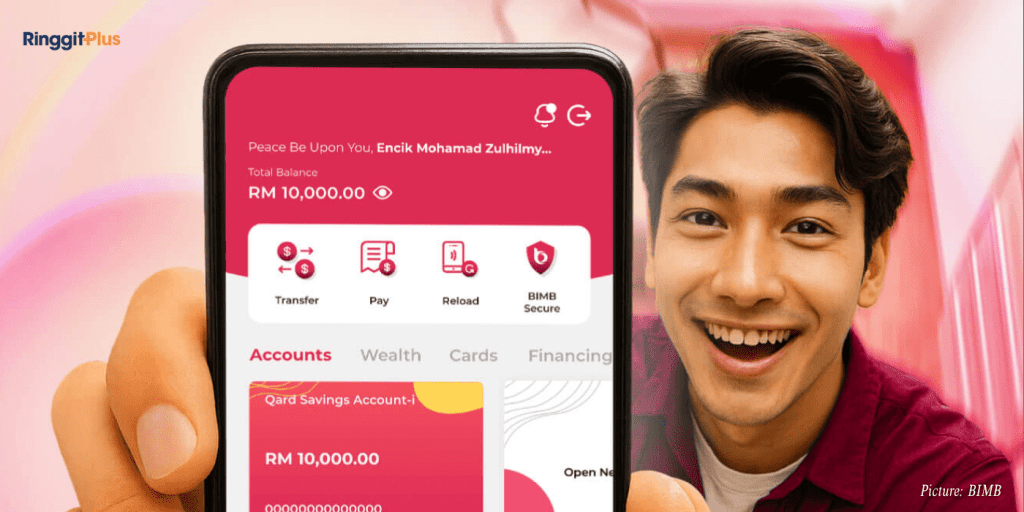
Bank Islam customers can now open a new account without going to a branch. The bank’s latest feature through the BIMB Mobile app allows users to complete the entire process online, from registration to verification and the first deposit.
The service enables new customers to open a Bank Islam account instantly, using only their mobile phones. The process can be completed anytime and anywhere, without the need for in-person verification.
How To Open A Bank Islam Account Online
To open a new account, users must download the BIMB Mobile app from the App Store, Google Play, or Huawei AppGallery. Once installed, they can select “I don’t have a Bank Islam account,” enter their MyKad and phone number, and choose the type of account they want.
Next, users will need to scan both sides of their MyKad and take a selfie for verification. The process ends with an initial deposit made through any participating bank account under the same name. Once verified, the account will be activated, and users can access their banking services through BIMB Mobile and BIMB Web.
Transition From GO By Bank Islam And Internet Banking
The launch of BIMB Mobile and BIMB Web marks Bank Islam’s move to replace its existing GO by Bank Islam app and Internet Banking platform, both of which will continue operating until the end of 2025.
Existing users will not be automatically switched to the new system. Those who wish to move to BIMB Mobile and BIMB Web can do so at any time without any charges. However, after 2025, access to the old platforms will be discontinued, and all online banking will be available only through the new versions.
What To Expect When Switching
When switching to BIMB Mobile and BIMB Web, users’ saved favourite accounts will be carried over automatically. However, certain features will not transfer, including future-dated and recurring payments, which need to be re-set in the new app.
Transaction history from the old system will not appear in BIMB Mobile or BIMB Web, and transaction limits will need to be configured again. The new app also uses a different QR code system, which is not compatible with the previous GO by Bank Islam app.
Assistance For Users
Customers who face technical issues when switching or registering can contact Chatbot Adam on the Bank Islam website, call the Contact Centre at 03-2690 0900, or email the bank. Assistance is also available at any Bank Islam branch if needed.
Follow us on our official WhatsApp channel for the latest money tips and updates.
Samuel writes about personal finance and financial news, focusing on how banking updates, policies, and promotions affect everyday money decisions. He enjoys making complicated financial topics easier to follow. Outside of writing, he spends his time watching TV shows and occasionally convincing himself he will only watch one episode.
00votes
Article Rating
SHARE
About THE AUTHOR
Samuel Chua
Samuel Chua
Samuel writes about personal finance and financial news, focusing on how banking updates, policies, and promotions affect everyday money decisions. He enjoys making complicated financial topics easier to follow. Outside of writing, he spends his time watching TV shows and occasionally convincing himself he will only watch one episode.





Comments (0)