Alex Cheong Pui Yin
Previously covered recruitment-related stories and had a short stint as a copywriter for the property industry. She subsequently developed an interest in investment and robo-advisors.

13th February 2023 - 4 min read
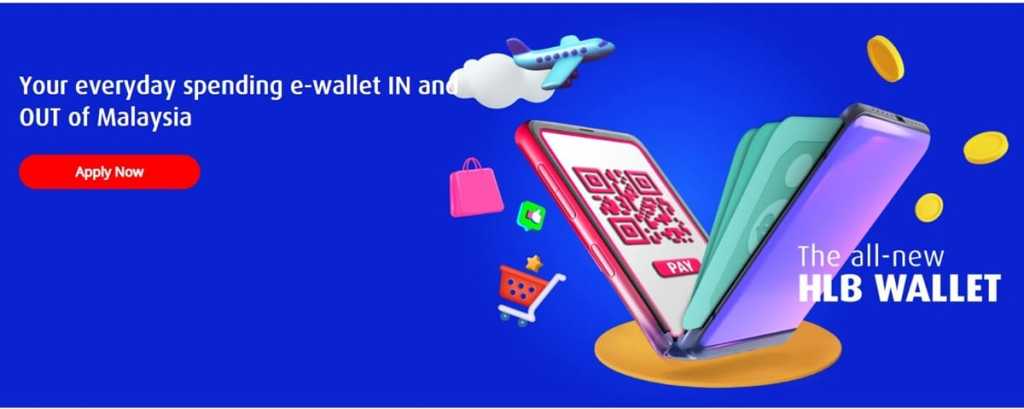
Hong Leong Bank has introduced its very own HLB Wallet, which is said to be “the only multi-currency e-wallet that rewards you with instant cashback for your spending”. Specifically, users will be able to earn up to RM10 instant cashback per month for selected expenses, as well as spend and trade in up to 12 foreign currencies.
Like many other e-wallets, the HLB Wallet – which has a default maximum balance limit of RM4,999 – will enable users to perform various transactions, including performing QR Pay payments, paying bills (inclusive of JomPay billers), and reloading your prepaid mobile. You can also make fund transfers to your own and other bank accounts, on top of being able to withdraw cash from your HLB Wallet at any HLB automated teller machines (ATMs).
However, the HLB Wallet slightly unique in that it is tied to customers’ HLB Connect access (which requires them to have an HLB savings account). This means that the money in your HLB Wallet is automatically protected by Perbadanan Insurans Deposit Malaysia (PIDM), which automatically protects your eligible bank deposits up to RM250,000 (for each depositor).
With regard to the instant cashback offered by HLB Wallet, users will be able to earn up to RM10 instant cashback per month when they perform selected digital payments with specified minimum amounts, including QR Pay transactions with businesses, bill payments, and prepaid reloads. Here are the full details on how you can earn cashback when using HLB Wallet:
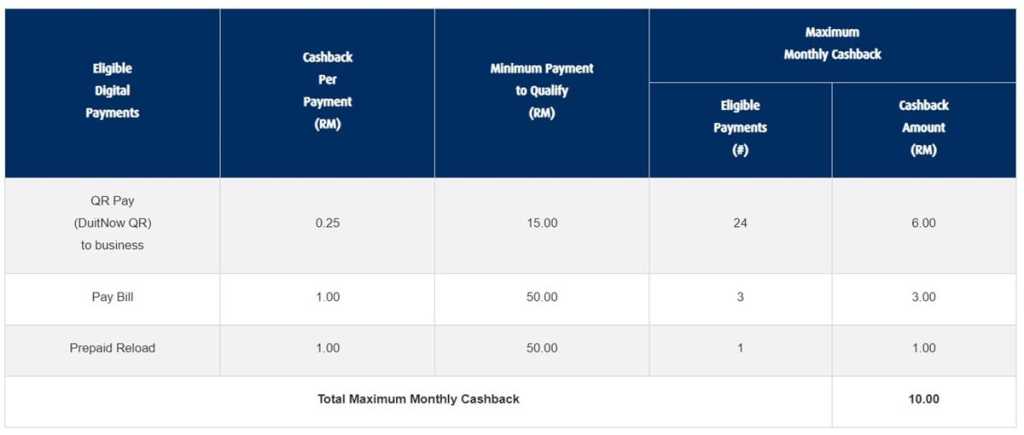
HLB also highlighted in its FAQ that customers must make payments to business entities that are registered as DuitNow QR merchants in order to receive cashback under the “QR Pay to business” category. QR Pay transactions to merchants who receive payments as non-business entities do not qualify.
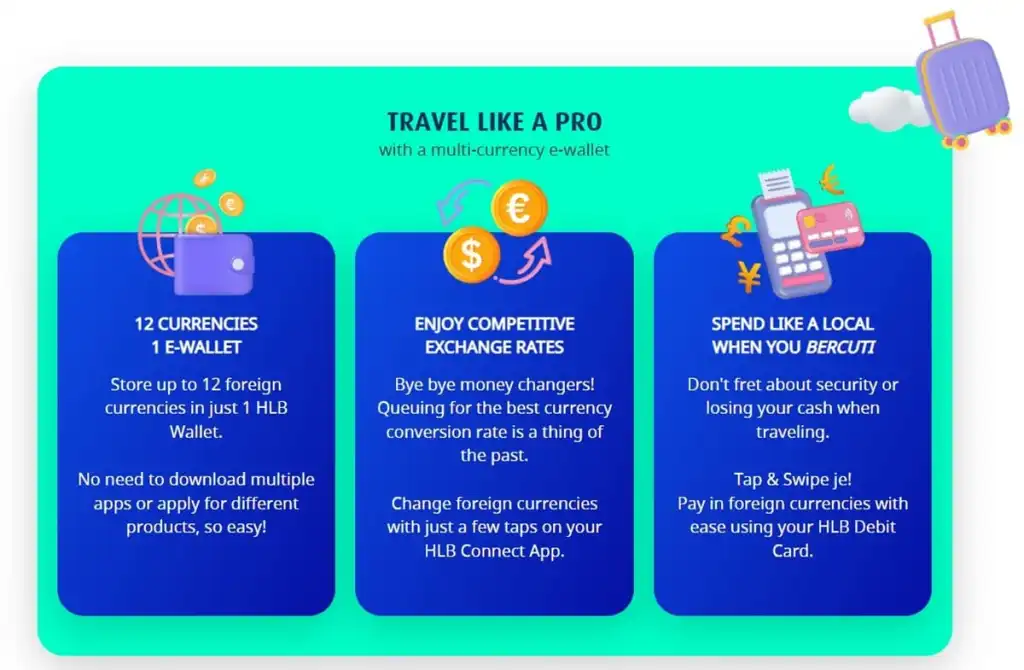
As for the multi-currency feature offered by HLB Wallet, users will be able to trade or spend in a total of 12 foreign currencies, namely:
To use this feature, however, users must first activate it by removing their Wallet’s default maximum balance limit of RM4,999. This can be done via biometric verification at any bank branches, although some qualified customers may enjoy an automatic removal of the limit. Once completed, you can then start to keep preferred foreign currencies in your HLB Wallet, as well as spend them via your debit card with competitive exchange rates when you travel.
Fees-wise, HLB Wallet itself is free to use, but the standard fees and charges for a HLB bank account and debit card will apply (as your HLB Wallet will be automatically tied to your bank account with a debit card).
If you’re interested to give the HLB Wallet a try, you can apply for it using HLB’s Apply@HLB app. Just fire up the app and select the account type and product; you’ll then be prompted to scan your MyKad and to fill in the necessary details. Once approved, you are required to make a minimum initial deposit of RM50 into your HLB Wallet (unless stated otherwise). If you fail to do so, your Wallet will be automatically closed after 90 calendar days.
Note as well that deposits to your HLB Wallet can only be made via intrabank transfers from your own bank account (HLB account or other banks) or via cash deposits via HLB cash deposit machines. Credit cards are not supported.
To celebrate the introduction of the all new HLB Wallet, HLB is currently running a Chinese New Year promotion that rewards its customers with an RM18 e-ang pow when they sign up for their HLB Wallet. Already ongoing, the promo is set to end on 15 March 2023.
(Source: HLB)
Previously covered recruitment-related stories and had a short stint as a copywriter for the property industry. She subsequently developed an interest in investment and robo-advisors.



Comments (1)
The article is very informative And Helpful