Alex Cheong Pui Yin
Previously covered recruitment-related stories and had a short stint as a copywriter for the property industry. She subsequently developed an interest in investment and robo-advisors.

18th July 2023 - 3 min read

The Employees Provident Fund (EPF) has quietly rolled out a new KWSP i-Akaun app, which is set to eventually replace the existing i-Akaun app (classic version). The new app offers a range of new features and improved user interface that allow members to manage their EPF accounts with better ease and efficiency.
Some new features that members can find in the new KWSP i-Akaun app – which are not available in the classic i-Akaun app – include:
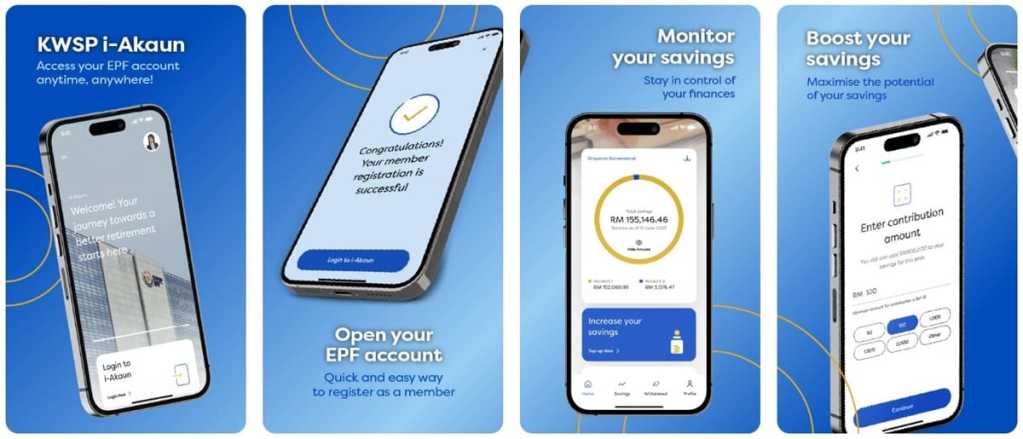
Meanwhile, existing features that you can continue to use in the new app include the ability to monitor and view contribution records, view and download account statements, as well as update member’s profile. Additionally, you can make voluntary contributions to boost your EPF savings and register for i-Saraan (for informal sectors).
Note, though, that the i-Invest feature has not been ported over from the classic i-Akaun app to the new app. Members who wish to use this feature will still need to access it via the older app or through the i-Akaun (member) portal.
The EPF has also clarified that members do not need to uninstall the classic i-Akaun app after downloading the new app on their device; they can even use both at the same time. However, the older app can only be used “until a certain date in the future before it is discontinued” – although the EPF has not revealed an exact date as of yet. As such, members are encouraged to switch over to the KWSP i-Akaun app “for a more personalised and user-friendly experience” whenever possible.
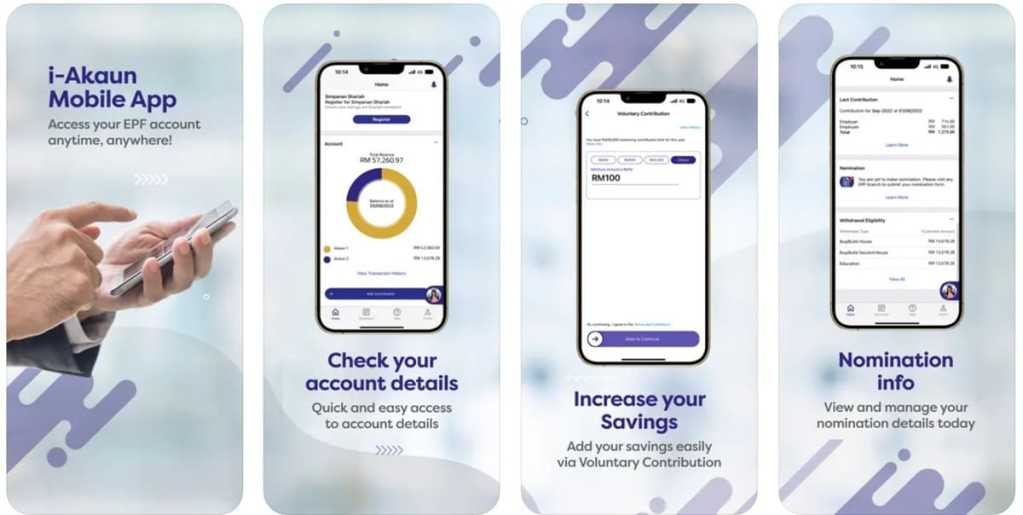
Members who already have an account on the classic i-Akaun app will not be required to register for a new account, and can go ahead and log in to the KWSP i-Akaun app using the same user ID and password. All your existing information from the classic i-Akaun app will be synced automatically to the new app.
If you’re an existing EPF member without i-Akaun login details, however, you’ll need to register for an account on the KWSP i-Akaun app via specified channels: EPF offices, EPF self-service terminals/kiosks, or through the classic i-Akaun app or i-Akaun (member) portal (view mode access). Once done, you can then log in to the KWSP i-Akaun app with your details.
If you’d like to give the new KWSP i-Akaun app a try, go ahead and download the app for free from Google Play, the App Store, or Huawei AppGallery. Do be aware that your device must run on Android 5.0 or iOS 12.4 (minimum operating system (OS) requirement) in order to install and use the app.
(Source: EPF)
Previously covered recruitment-related stories and had a short stint as a copywriter for the property industry. She subsequently developed an interest in investment and robo-advisors.




Comments (0)