Alex Cheong Pui Yin
Previously covered recruitment-related stories and had a short stint as a copywriter for the property industry. She subsequently developed an interest in investment and robo-advisors.

8th November 2023 - 2 min read
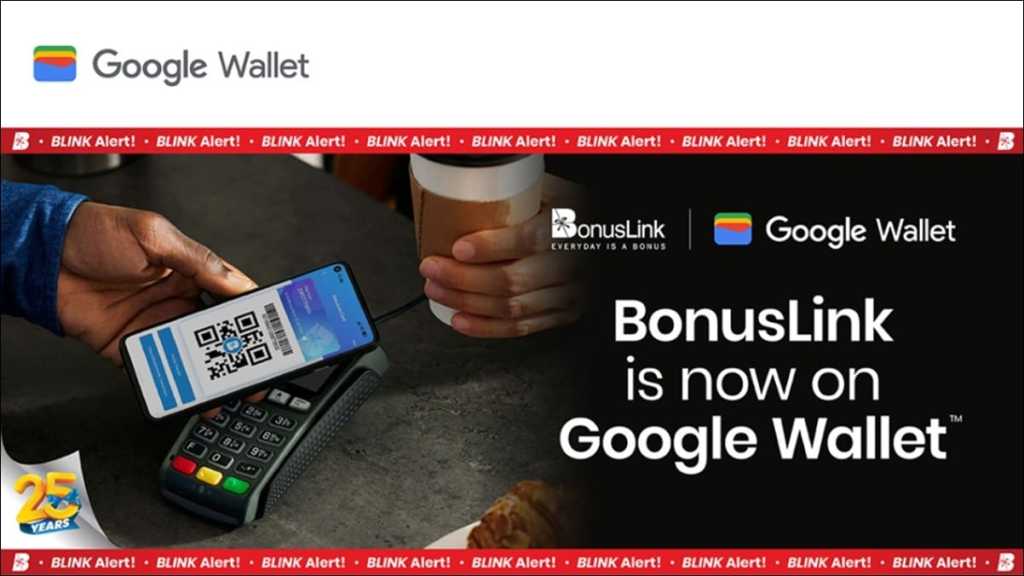
Bonuslink members can now link their Bonuslink cards to Google Wallet to collect Bonuslink Points for transactions made via the digital payment method.
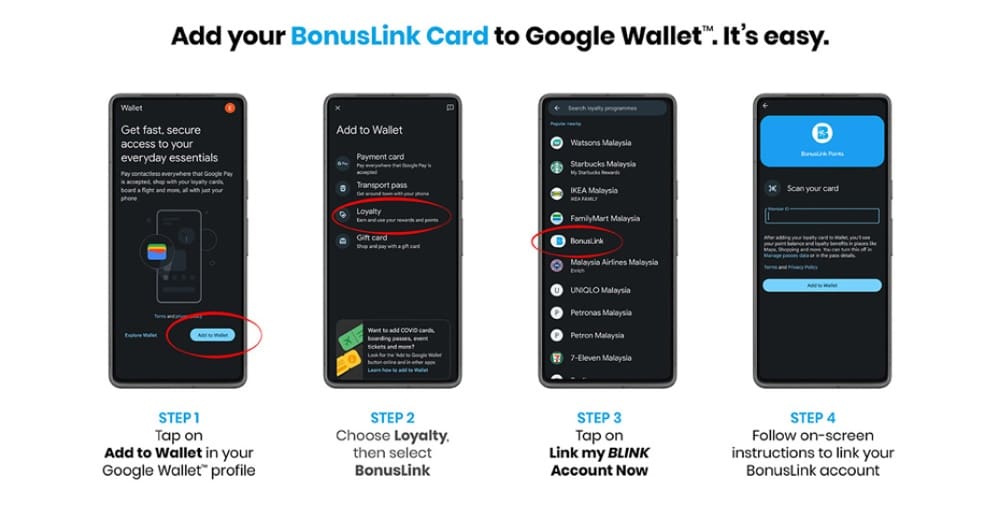
On its website, Bonuslink explained that existing members can add their cards by firing up their Google Wallet app, then tapping on “Add to Wallet” in their Google Wallet profile. Following that, tap on “Loyalty”, then select “Bonuslink” and “Link my BLINK Account Now” (or “Sign in to your account”, if you’re not yet signed in to your Bonuslink account). You’ll then be prompted with further on-screen instructions to complete the linking process.
Meanwhile, those who are not yet a member can also sign up for a Bonuslink account via Google Wallet. Just tap on “Sign up for a new account” after selecting “Bonuslink” (instead of “Link my BLINK Account Now” or “Sign in to your account”), then fill up the required details to create an account.
That said, note that you cannot redeem your Bonuslink Points on Google Wallet for now; you can only collect Bonuslink Points via the app. Instead, Points redemptions must still be done via existing methods, such as through the BLINK app and website, or at participating Bonuslink On-The-Spot redemption outlets.
You also will not be able to view your Points transactions (how much Bonuslink Points are earned for each individual transaction) on Google Wallet; you’ll need to swap over to your BLINK app for this. Tap on “Bonuslink Card” on your dashboard, followed by “View 6 Months Points Transactions” at the bottom of your screen. You may, however, see your overall point balance in other Google services, such as Maps and Shopping.
For context, Google first announced Google Wallet back in May 2022, and it was eventually made live in Malaysia several months later, in November 2022. Aside from allowing you to save payment cards from supported banks, the app also comes with the ability to store your loyalty cards, digital IDs, travel passes, digital keys, and more. At present, Google Wallet in Malaysia allows its users to add payment cards from six financial institutions in total, namely CIMB and CIMB Islamic Bank, Hong Leong and Hong Leong Islamic Bank, Public Bank, Standard Chartered, HSBC and HSBC Amanah, and Wise.
(Source: Bonuslink)
Previously covered recruitment-related stories and had a short stint as a copywriter for the property industry. She subsequently developed an interest in investment and robo-advisors.




Comments (3)
how bout the others in the list? like when i try PETRON & PETRONAS, mine doesn’t have the QR CODE like bonuslink.
They might not be supported for Google Wallet integration yet. Please check with PETRON and PETRONAS customer service for the latest updates on their compatibility with Google Wallet.
craziest company ever in Malaysia.They refuse to give customers points.I have to scan my resit and keep on talk to them for two months just to get 48 points.